The basic idea
Start with the call, then choose the delivery path.
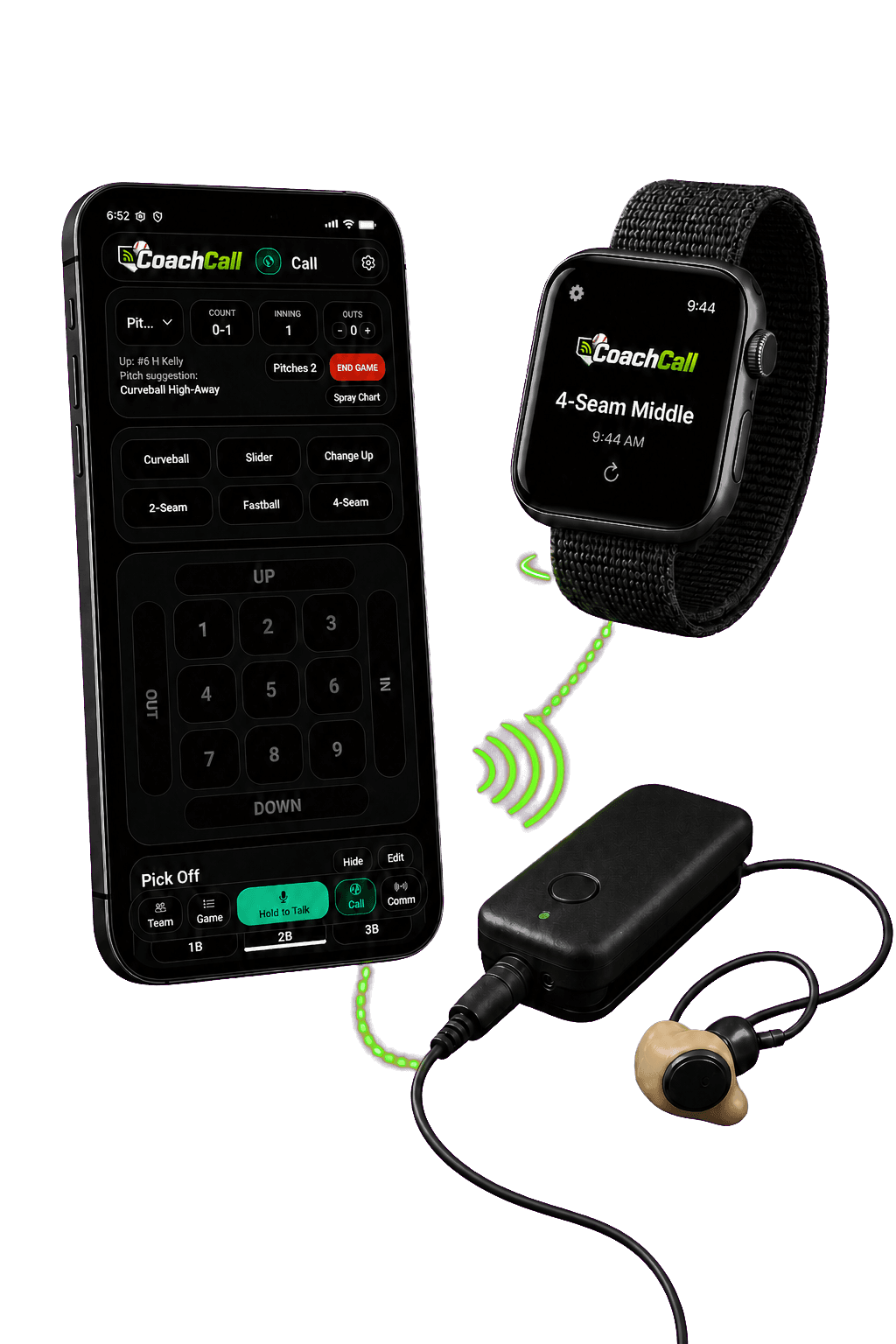
Most teams do not need to make this complicated on day one. The coach needs a fast way to send the call, and the catcher needs a reliable way to receive it. CoachCall is built around that simple idea first.
Free CoachCall keeps the setup light. Pro adds more connected team tools when you want phone delivery, smart watches, staff audio, and game data working together.
Setup paths
One call screen. Two practical ways to reach the field.
Freesimple catcher audio
Use the call screen and connected Bluetooth audio when you only need a simple coach-to-catcher path. Start with the earbuds or AirPods you already own before buying extra gear.
Coach phoneCall + audio
→BluetoothReceiver or earpiece
Proconnected delivery
Use connected players, phone delivery, smart watches, and push-to-talk when you need more than one receiving path or want better game-day control.
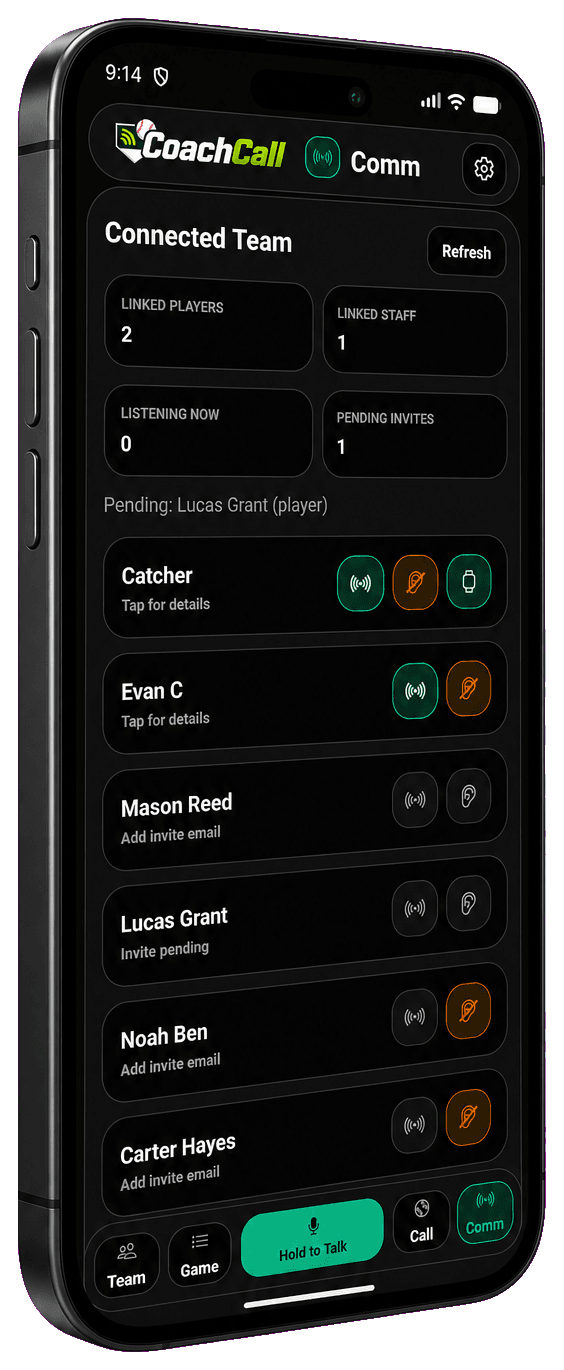
Choose the playerSend to phone, watch, or audio
keep it practicalBluetooth works best with clear line of sight. Distance can drop fast around dugout walls, gear bags, fences, people, and other field clutter.
Rules reminder
Check with your governing body before using electronic communication.
Rules can vary by league, state, tournament, and level of play. Before using phones, watches, earbuds, catcher audio, or any other electronic communication in competition, confirm what is allowed for your team.
Game-day checklist
A little testing saves a lot of frustration.
Any communication setup should be tested in the actual environment where it will be used. Fields, dugouts, fences, bodies, and gear can all affect Bluetooth and watch performance.
- Confirm your league, state, or tournament rules before using electronic communication.
- Test audio before the first inning, not during the first problem.
- Keep the receiving device charged and close enough for a stable connection.
- Use Player Mode and watches when teams need more delivery options.
- Have a backup sign system ready in case a device, headset, or connection fails.
Next steps
Set up the app, then test your hardware.